Author Archives: vtkrishn

Unknown's avatar

About vtkrishn

Vinod Krishnan has over 12 years experience in the Information Technology industry and a multifaceted career in positions such as Senior Consultant, Senior Applications Engineer, Software Engineer and Solution Architect for MNC’s like (Oracle, Capgemini, Keane). His many years of experience have exposed him to a wide range of Oracle Technologies that includes java, J2EE, Weblogic, Fusion Middleware, SOA and Webcenter. For the last five years, Vinod is actively involved in large implementations of next generation enterprise applications utilizing Oracle’s JDeveloper, Application Development Framework (ADF) technologies. He holds a B.Tech. in Information Technology from Anna University of Chennai, India.

Webcenter Services at a glance


AnalyticsGoogle Analytics – shows analytics for the personal site

AnnouncementsGoogle calendar announcement about the birthdays and anniversary

BlogBlogspot for blogging

DiscussionsForums to discuss anything

DocumentsGoogle Docs for content management

EventsGoogle calendar to mark events

Instant Messaging and PresenceGtalk for messaging

LinksGoogle bookmarks for storing links

ListsListing of ongoing/pending tasks

MailGMail

NotesGoogle Notes

NotificationsFacebook posting on walls

People connectionsFacebook

PollsFacebook polling for suggestions

PersonalizationsiGoogle to personalize home page

Recent ActivitiesFacebook activities

Activity GraphGoogle site statistics

RSSBlog feed for updates

SearchGoogle search

TagsPicasa photo tags

WikiWikipedia for informations

WorkListstodo lists for daily Agenda

SOA – a quick view


What is SOA?

SOA is standard based method of system development and integration

What are the benefits?

  • Reusability
  • Integration
  • Interoperability
  • Agile development
  • Scalability
  • Cost Efficient

What are all the ways to implement services?

  • Point to point approach
  • Vendor specific implementation
  • CORBA
  • Web services
  • SCA-style implementation

What are Services?

  • Building blocks of SOA
  • Interface and message structure definitions
  • Standard protocol for interoperability

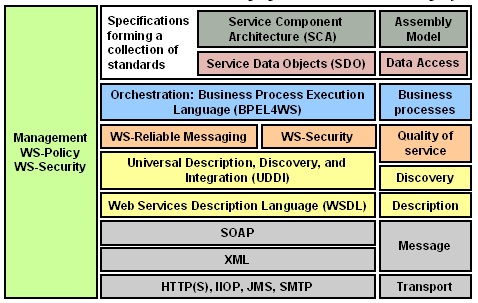
What are SOA standards?


What is SCA [Service Component Architecture]?

SCA provides a programming model for building applications using SOA

What are the difference between SOA and SCA?

  • SOA is an approach or implementation style and SCA uses SOA to build a composite application
  • SOA is architectural style but SCA is assembly model and defines/design

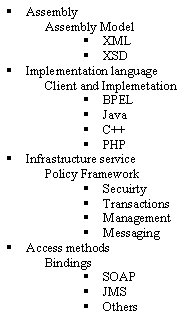
What are the elements of SCA?

What is SDO [Service Data Object]?

  • Representation of data source in XML format and specifes methods to create, delete and modify data
  • Simplify and unify the way in which applications handles the data

What is EDN [Event Driven Network]?

  • To handle asynchronous messaging arising from a business event
  • Supports publish and subscribe model
  • Aligns with Event driven Architecture [EDA]


Right Align af:column footer


How to right align text in the af:column footer?

<f:facet name="footer">
 <trh:tableLayout width="100%">
 <trh:rowLayout width="100%">
 <trh:cellFormat width="100%" halign="end">
 <af:outputText value="outputText6"/>
 </trh:cellFormat>
 </trh:rowLayout>
 </trh:tableLayout>
 </f:facet>

Creating a simple extension for jdeveloper


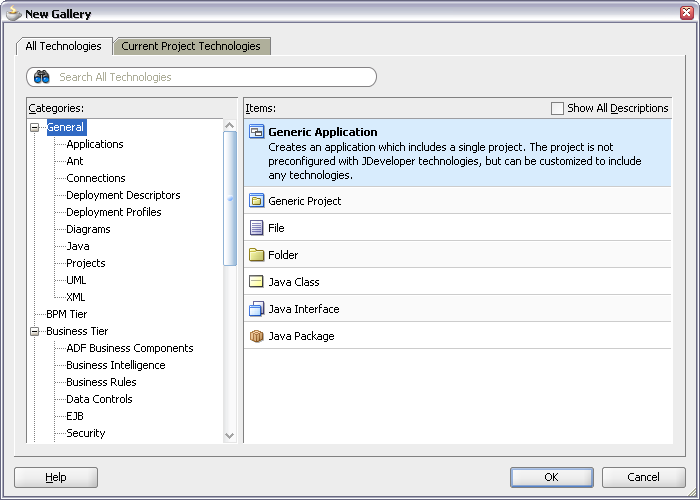
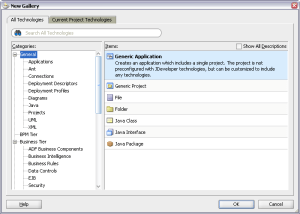
First you have to create a generic Application by selecting from File -> New -> General -> Generic Application
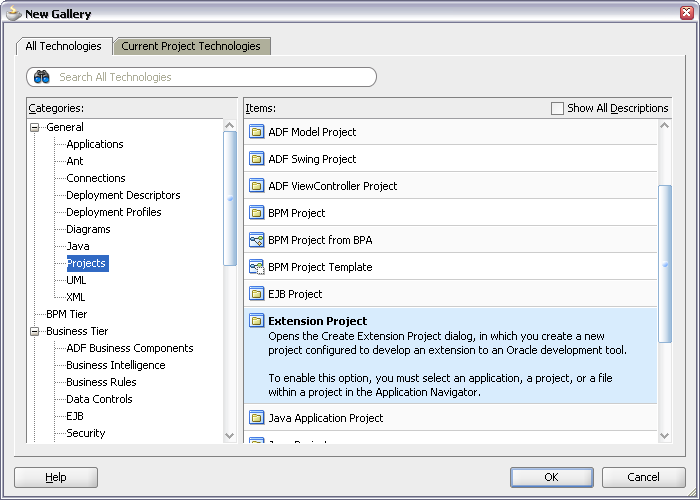
Name the application and create a new Extension project for the application by selecting File -> New -> Projects -> Extension Project
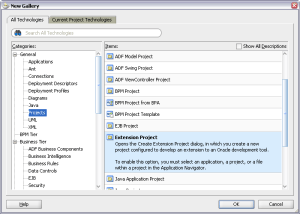
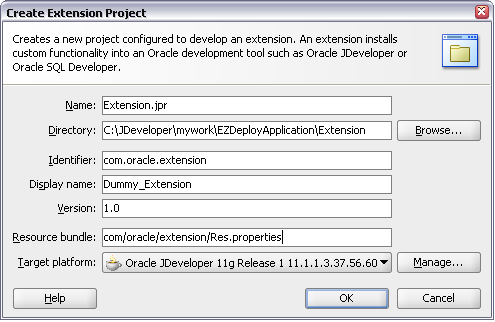
The Create Extension Project wizard will help you specify the project details
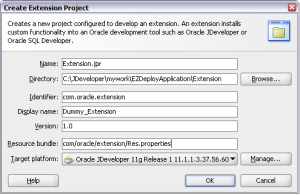
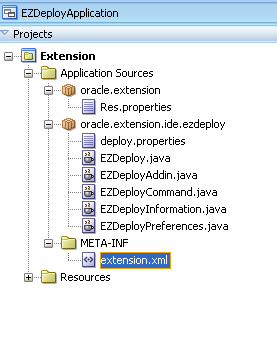
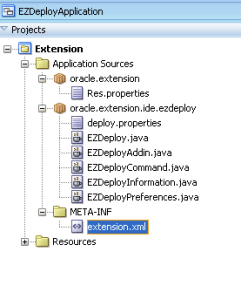
The new Extension project will have the structure like
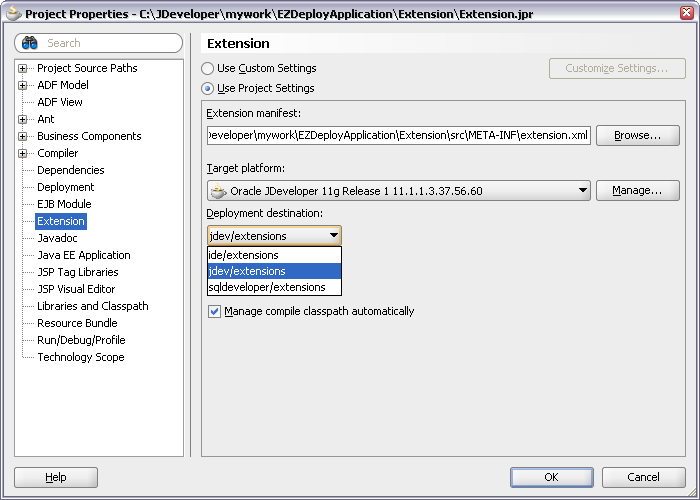
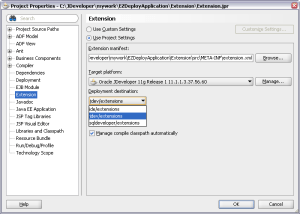
The properties of the project is to be configured as shown in the figure
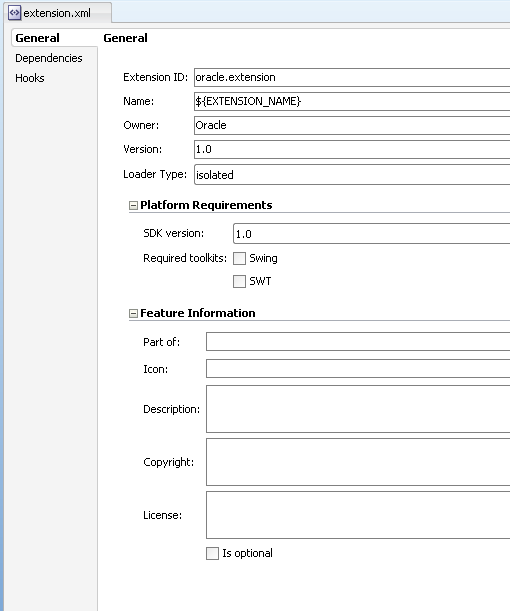
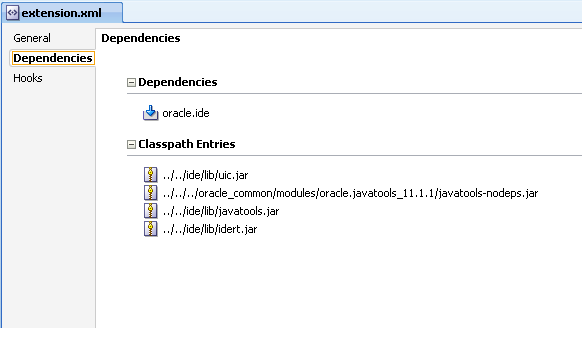
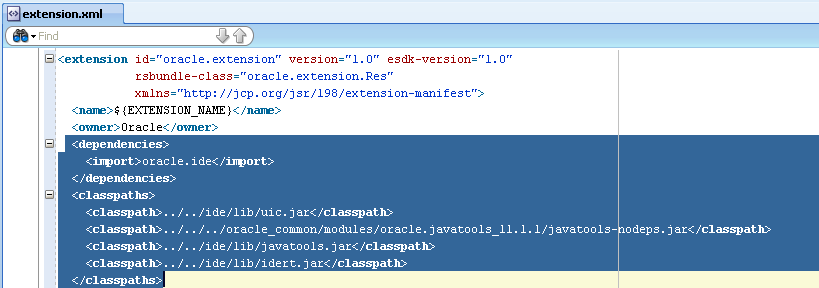
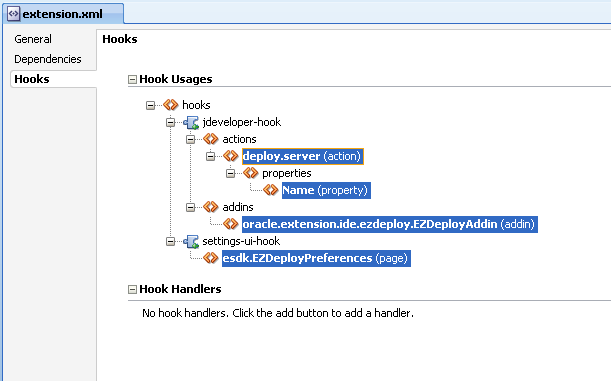
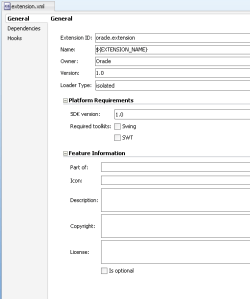
Open the extension.xml from META-INF folder. In the overview tab you will find General, Dependencies and Hooks panels

General – Will have all general information like name, version, owner etc
source:

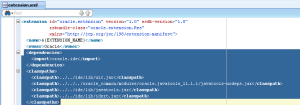
Dependencies – Will have references to the extension dependencies. The classpath reference is also included
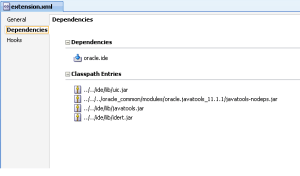
source:

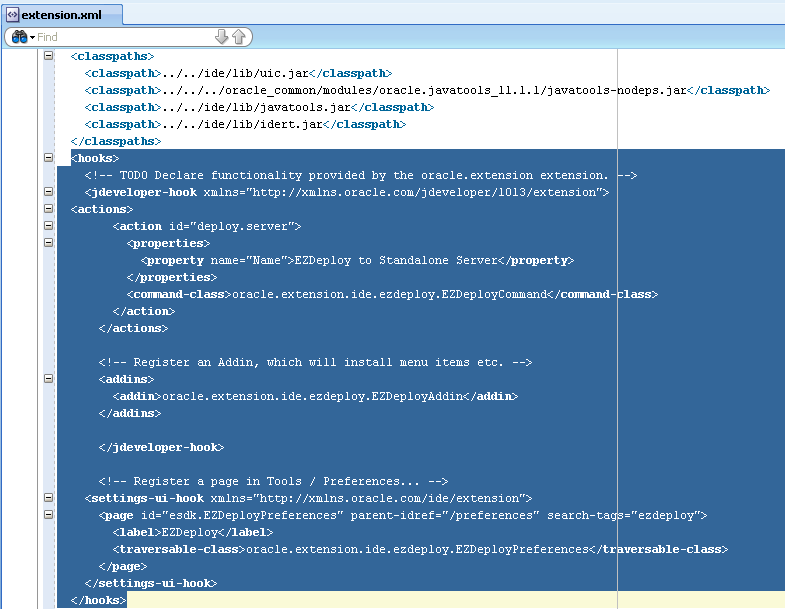
Hooks – Will have the points at which the extension will be added to the Jdeveloper ide.
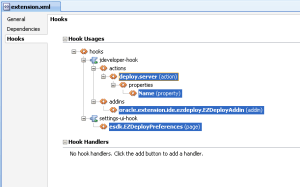
Each individual hook allows an extension to provide specific binding information to plug into different areas of an IDE. Here are the main areas where extensions plug-in:

  1. Menus and commands through the menu-hook,
  2. Document model through the document-hook,
  3. IDE events through the ide-listener-hook,
  4. Custom editors through the editor-hook,
  5. IDE preferences and project settings through the property-hook,
  6. Log pages through the log-hook
  7. New wizards through the wizard-hook, and
  8. The compiler through the build-system-hook.
  9. The feature-hook allows extensions to appear in an IDE’s extension management UI as features that can be enabled/disabled.
  10. The custom-hook and hook-handlers allows extensions to define their own extension points.

source:

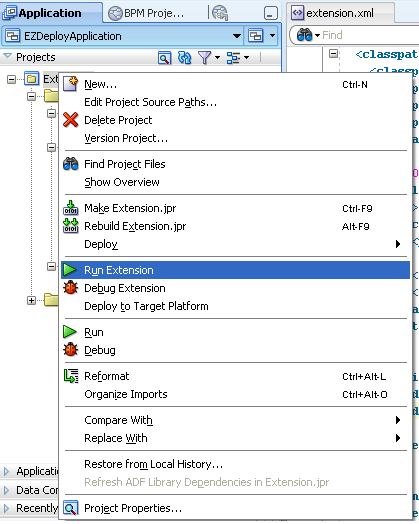
Running the extension is to right-click the project and say Run Extension
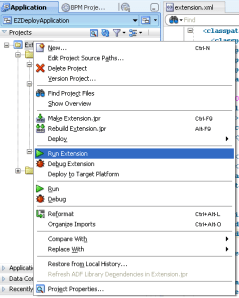
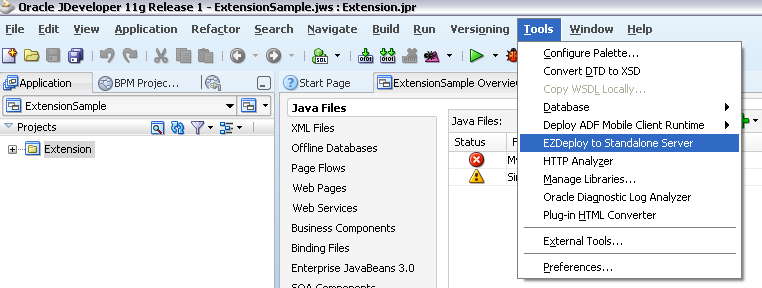
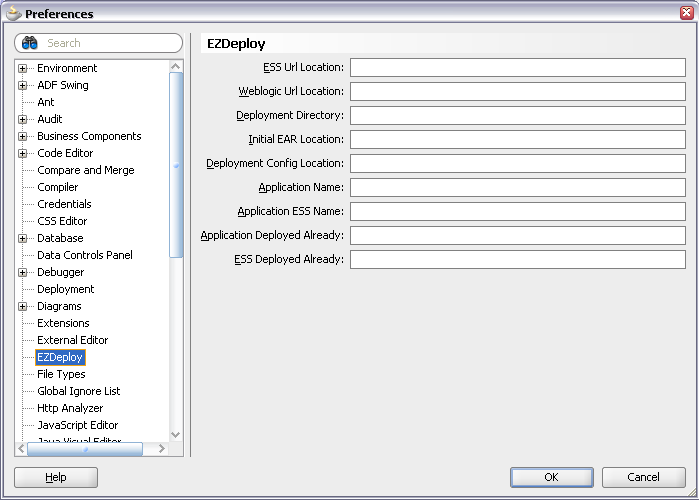
The deployed extension will be seen from Tools menu and preferences
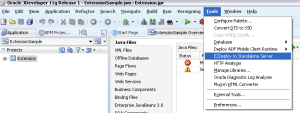
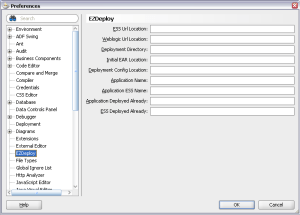
The sample project can be downloaded from here

For details on the tags in the extension.xml file, see the file JDEV_HOME/jdev/doc/extension/ide-extension-packaging.html

Each individual hook allows an extension to provide specific binding information to plug into different areas of an IDE. Here are the main areas where extensions plug-in:

  1. Menus and commands through the menu-hook,
  2. Document model through the document-hook,
  3. IDE events through the ide-listener-hook,
  4. Custom editors through the editor-hook,
  5. IDE preferences and project settings through the property-hook,
  6. Log pages through the log-hook
  7. New wizards through the wizard-hook, and
  8. The compiler through the build-system-hook.
  9. The feature-hook allows extensions to appear in an IDE’s extension management UI as features that can be enabled/disabled.
  10. The custom-hook and hook-handlers allows extensions to define their own extension points.

How to get reference to currentRow for af:table


to get the current row, using the TableIterator as the executable


#{bindings.TableIterator.rangeStart+bindings.TableIterator.currentRowIndexInRange+1}

support link for oracle


useful support link for oracle is here

https://support.us.oracle.com/oip/faces/secure/ml3/homepage/home.jspx


TO_CHAR to TO_DATE problem addressed


Recently found this issue on an internal forum and found the solution given by Jobinesh.. Thought I could share the info here

Problem description:

“I’m trying to apply a view criteria programmatic way here. When the bind variable for “StartDate” (which is a VO attribute) uses just a “=”. then at runtime the VC gets appended to the query using a TO_DATE for the bind var, which is as expected. However, when the bind variable for “StartDate” uses just a “>=” / “<“>” . then at runtime the VC gets appended to the query using a TO_CHAR for the bind var, which is not that we require. Is there any way to get a TO_DATE for this kind of comparison as well?”

Please take a look at the following sample method :-

public Row getSampleHeaderVORecord(Date activeDate) {
 ViewObjectImpl SampleHeaderVO = getSampleHeader1();
 ViewCriteria viewCriteria = SampleHeaderVO.createViewCriteria() ;
 ViewCriteriaRow vcr1 = viewCriteria.createViewCriteriaRow() ;
 vcr1.setAttribute("StartDate", ">="+(activeDate.));
 viewCriteria.add(vcr1);
 SampleHeaderVO.applyViewCriteria(viewCriteria);
 SampleHeaderVO.executeQuery();
 return SampleHeaderVO.next();
 }

Do let me know.

Sample query that appears at runtime :-

SELECT *WHERE ( ( (TO_CHAR( ForecastHeaderEO.START_DATE, 'yyyy-mm-dd') > '0007-04-02' ) ) )

The TO_CHAR in the last line is what I’m referring to. Is there any way to get a TO_DATE there?

Solution:


ViewObjectImpl SampleHeaderVO = getSampleHeader1();
 ViewCriteria viewCriteria = SampleHeaderVO.createViewCriteria() ;
 ViewCriteriaRow vcr1 = viewCriteria.createViewCriteriaRow() ;
 ViewCriteriaItem vci = vcr1.ensureCriteriaItem("StartDate");
 vci.setOperator(JboCompOper.OPER_ON_OR_AFTER);
 vci.setValue(activeDate);
viewCriteria.add(vcr1);
 SampleHeaderVO.applyViewCriteria(viewCriteria);
 SampleHeaderVO.executeQuery();

How to add FavIcon to the ADF page


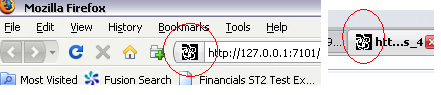
I bet this is a common question among ADF developers who wish to have their own favicon for their page

Please follow the steps to achieve the same

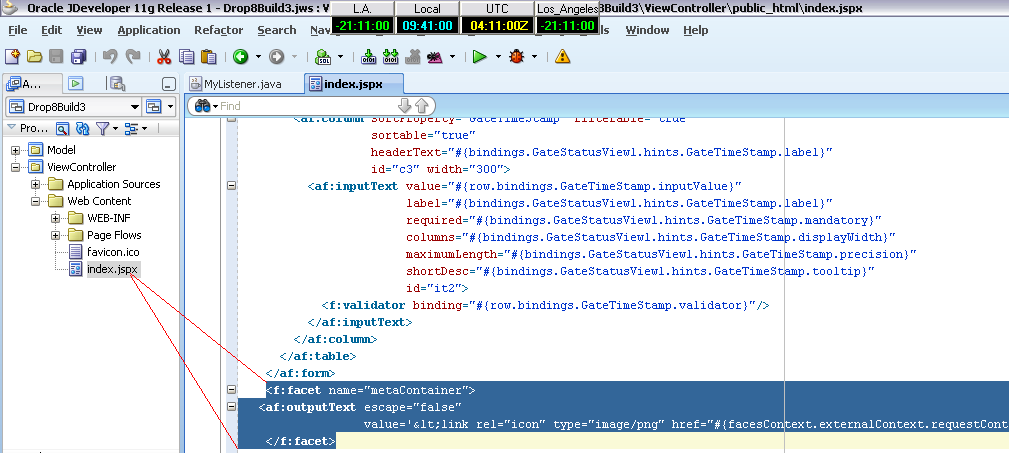
add the following facet to the af:document tag of your adf page

<af:document id="d1">
..
..
..
<f:facet name="metaContainer">
 outputText escape="false"
 value='png" href="#{facesContext.externalContext.requestContextPath}/favicon.ico">' id="o1"/>
 </f:facet>
</af:document>


please note that the favicon specified in the value attribute in the outputext should be in the root-level of your web application

oracle.mds.exception.MDSRuntimeException: MDS-00168


Target URL -- http://127.0.0.1:7101/[Application_Name]-[Project_Name]-context-root/faces/[page_name].jspx
<22-03-2010 09:57:51 AM CLT>    <[ServletContext@27112686[app:[Application_Name] module:[Application_Name]-[Project_Name]-context-root path:/[Application_Name]-[Project_Name]-context-root spec-version:2.5]] Servlet failed with Exception
oracle.mds.exception.MDSRuntimeException: MDS-00168: MDS object oracle.mds.core.MDSInstance@160bf69 is being used after it or its MDSInstance or PManager has been released.
at oracle.mds.core.MDSInstance.checkNotReleased(MDSInstance.java:1078)
at oracle.mds.core.MDSInstance.getPersistenceManager(MDSInstance.java:638)
at oracle.mds.core.MDSSession.getPersistenceManager(MDSSession.java:1992)
at oracle.mds.core.MDSSession.getBaseMO(MDSSession.java:2769)
at oracle.mds.core.MDSSession.getMetadataObject(MDSSession.java:1188)
Truncated. see log file for complete stacktrace

The above mentioned error is due to a known issue for JDeveloper and ADF 11g.

This is related to the initialization of the ADFShare components in a web environment. the oracle.adf.share.http.ServletADFContext must be initialized per request. Normally, this is achieved because the jdev design time adds the ADFBindingFilter to the project web.xml when certain actions are taken

The ServletADFFilter must be used for correct use of ADFContext. ServletADFFilter specifically setup ServletADFContext properly at the start of the request.

<filter>
 <filter-name>ServletADFContextFilter</filter-name>
 <filter-class>oracle.adf.share.http.ServletADFFilter</filter-class>
 </filter>
 <filter-mapping>
 <filter-name>ServletADFContextFilter</filter-name>
 <url-pattern>/*</url-pattern>
 <dispatcher>REQUEST</dispatcher>
 <dispatcher>FORWARD</dispatcher>
 </filter-mapping>

oracle.jbo.InvalidObjNameException: JBO-25005


oracle.jbo.InvalidObjNameException: JBO-25005: Object name oracle_jbo_uicli_binding_JUIteratorBinding_281 of type Iterator Binding Definition is invalid.
 

the issue is with the filter order in the web.xml as explained in the bug 9880967

the correct order of the JspFilter and ApplSessionFilter in the web.xml is as follows

 <filter-mapping>
 <filter-name>JpsFilter</filter-name>
 <servlet-name>Faces Servlet</servlet-name>
 <dispatcher>FORWARD</dispatcher>
 <dispatcher>REQUEST</dispatcher>
 <dispatcher>INCLUDE</dispatcher>
 </filter-mapping>
 <filter-mapping>
 <filter-name>ApplSessionFilter</filter-name>
 <servlet-name>Faces Servlet</servlet-name>
 <dispatcher>FORWARD</dispatcher>
 <dispatcher>REQUEST</dispatcher>
 </filter-mapping>