Jdeveloper 11.1.1.6 released..
http://www.oracle.com/technetwork/developer-tools/jdev/index-088099.html
Jdeveloper 11.1.1.6 released..
http://www.oracle.com/technetwork/developer-tools/jdev/index-088099.html
I recently happened to work on jdeveloper 10.1.3.4 and was given a task of bringing up the server. The project was using the custom libraries which the embedded oc4j was complaining that it could not find saying
Caused by: oracle.oc4j.sql.config.DataSourceConfigException: Unable to create : com.ibm.as400.access.AS400JDBCDriver
at oracle.oc4j.sql.config.DataSourceConfigUtils.createConnectionFactory(DataSourceConfigUtils.java:283)
at oracle.oc4j.sql.DataSourceConnectionPoolImpl.<init>(DataSourceConnectionPoolImpl.java:108)
at oracle.oc4j.sql.spi.ResourceAdapterImpl.createDataSourceConnectionPool(ResourceAdapterImpl.java:99)
… 13 more
This was very challenging for me because this is the first time I ran an ADF application on Jdeveloper 10g. I searched on the forum with this error and could easily find that the fix is to copy the library to
..\jdevstudio10134\j2ee\home\applib
This is just for information as this could be helpful for newbie who is still working with Jdeveloper 10g
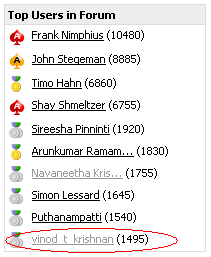
At last made an entry in Jdeveloper and ADF forum’s Top users list.. 10th now.. will soon climb up..
http://forums.oracle.com/forums/forum.jspa?forumID=83&start=0
Sometime when you do the changes and run the application the latest changes are not updated while running the application.
The culprit is the system folder.
{user_home}\system11.1.1.4.37.57.75\o.j2ee\drs\
has the exploded war file which will have the classes that is old. deleting the classes from the exploded directory would definitely fix the issue.
To select all the rows in a table design a page like
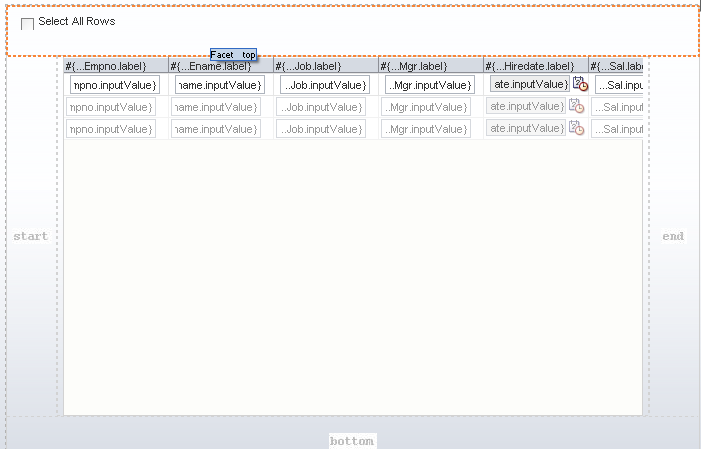
create a binding to the table, the valuechangelistener of the checkbox will have the following code
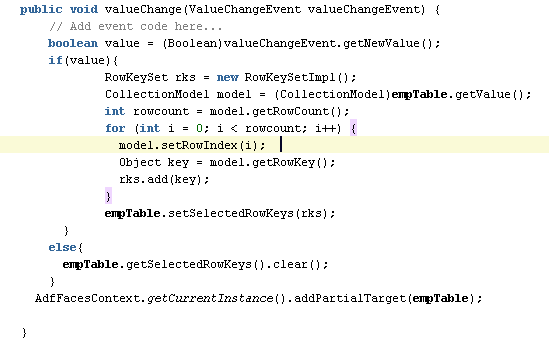
working example can be downloaded from
http://adfproject.googlecode.com/files/SelectAllRowsInATable.zip
I am fed of this Jdeveloper.. Its behaving weird sometimes and will no listen to what I say..
quite many of us would feel the same way and there is only one way to fix this..
this post will tell the exact location where you can find the system folder in windows..
One issue that we face is that how much ever you try to delete sometime you will get
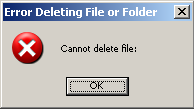
so what’s the reason:
This issue is because of the limitation in windows machine that the maximum length of the folder hierarchy is 255 to 260.. not sure about that but its less than 260 characters.. [path+filename]
and to identify in our system folder.. the following path violates the above max limits.
C:\Documents and Settings\{user_id}\Application Data\JDeveloper\system11.1.1.4.37.59.23\DefaultDomain\servers\DefaultServer\tmp\_WL_user\oracle.webcenter.framework.view
(all folders [3 mostly] that starts with oracle.webcenter.framework under _WL_user)
workaround:
move all the three folders that starts with oracle.webcenter.framework to much higher level .. say.. outside the actual system folder itelf.. [C:\Documents and Settings\{user_id}\Application Data\JDeveloper\].. and delete it..
now your system folder will get deleted easily.. 🙂
you can download all the extensions related to jdeveloper from this location
http://www.oracle.com/technetwork/developer-tools/jdev/index-099997.html
First you have to create a generic Application by selecting from File -> New -> General -> Generic Application
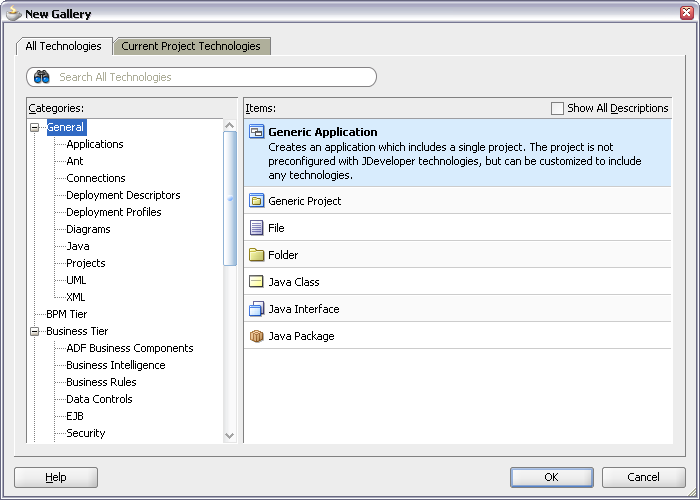
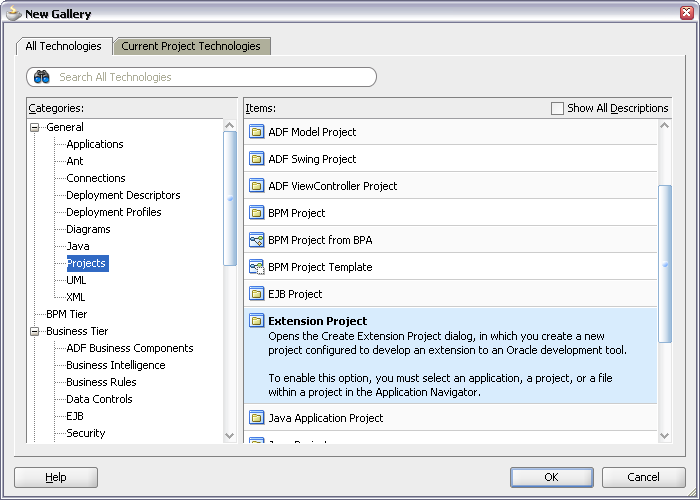
Name the application and create a new Extension project for the application by selecting File -> New -> Projects -> Extension Project
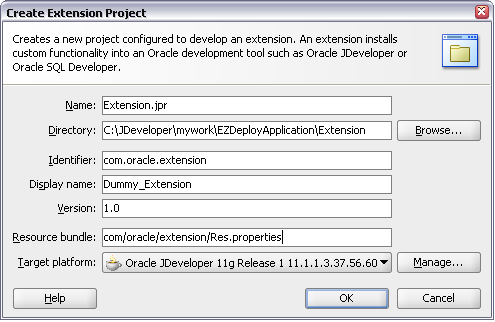
The Create Extension Project wizard will help you specify the project details
The new Extension project will have the structure like
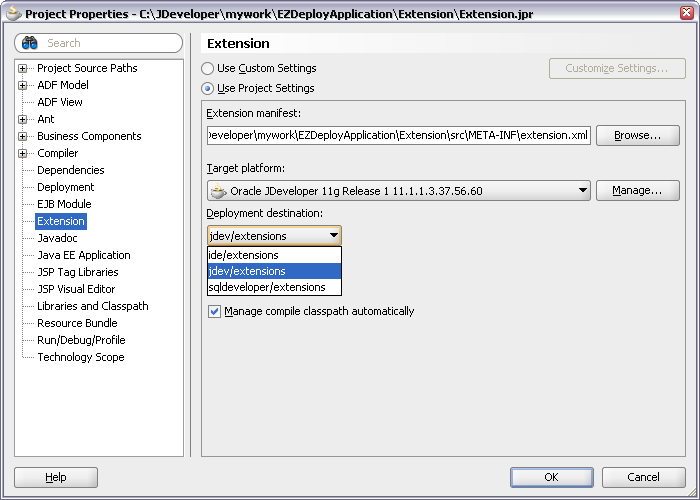
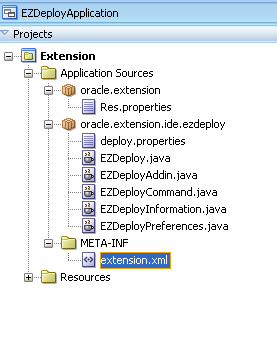 The properties of the project is to be configured as shown in the figure
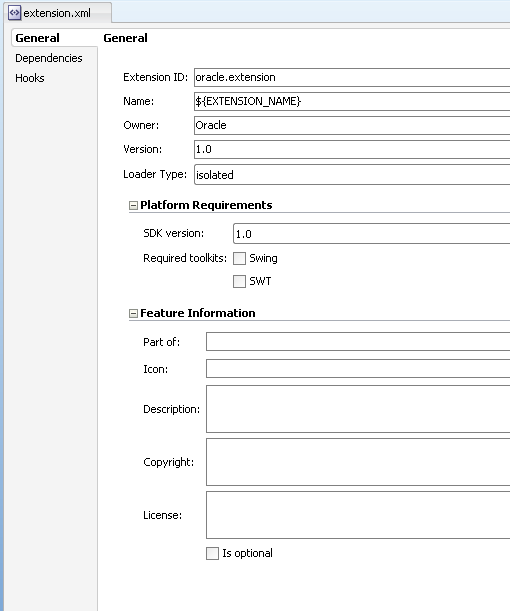
Open the extension.xml from META-INF folder. In the overview tab you will find General, Dependencies and Hooks panels
General – Will have all general information like name, version, owner etc
 source:

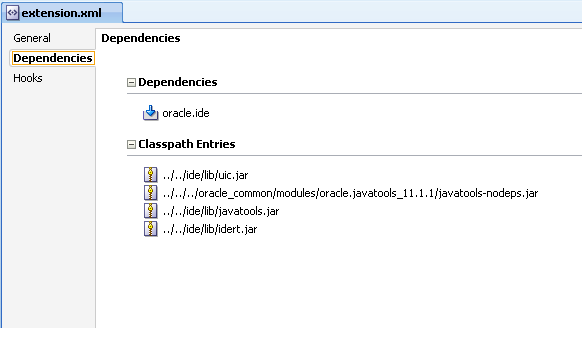
Dependencies – Will have references to the extension dependencies. The classpath reference is also included
 source:
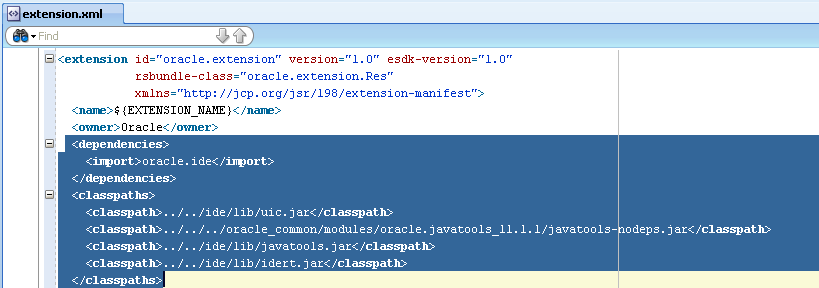
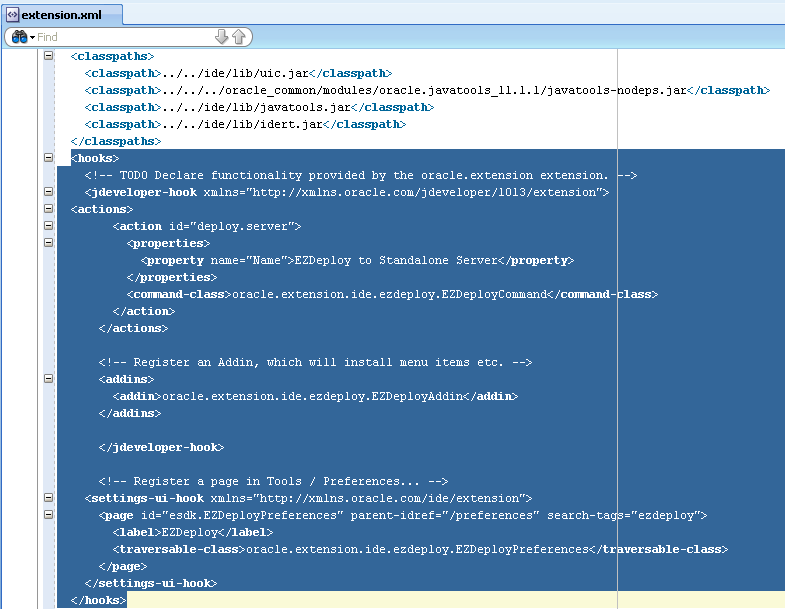
Hooks – Will have the points at which the extension will be added to the Jdeveloper ide.
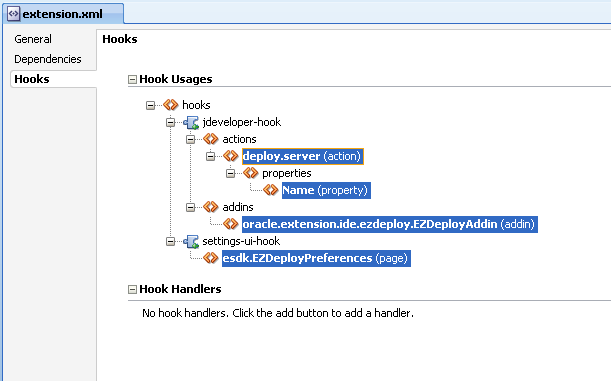
Each individual hook allows an extension to provide specific binding information to plug into different areas of an IDE. Here are the main areas where extensions plug-in:
source:
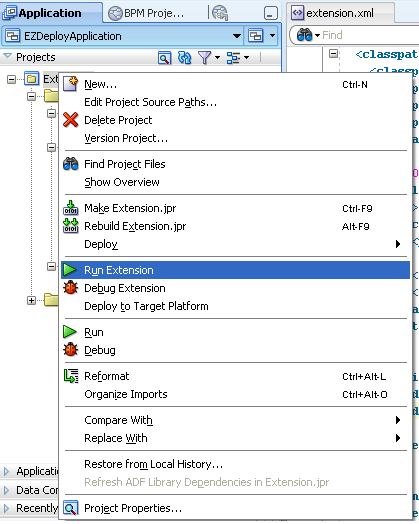
Running the extension is to right-click the project and say Run Extension
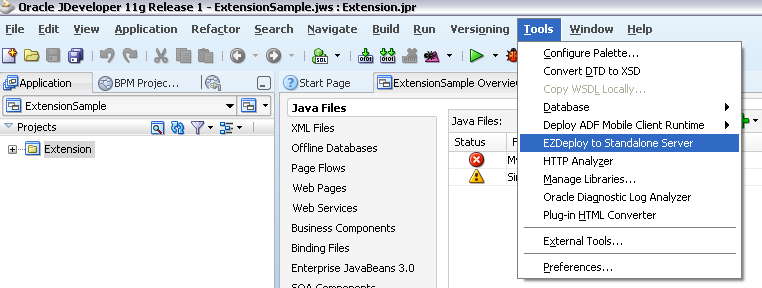
The deployed extension will be seen from Tools menu and preferences
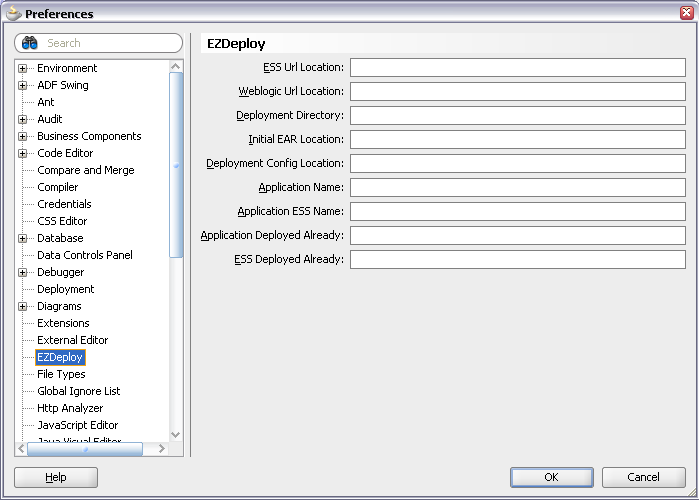
The sample project can be downloaded from here
For details on the tags in the extension.xml file, see the file JDEV_HOME/jdev/doc/extension/ide-extension-packaging.html
 They point the finger at me.. again!